Help Center帮助中心 Pages页面
New Pages新晋页面
Last updated更新于 2026-10-10
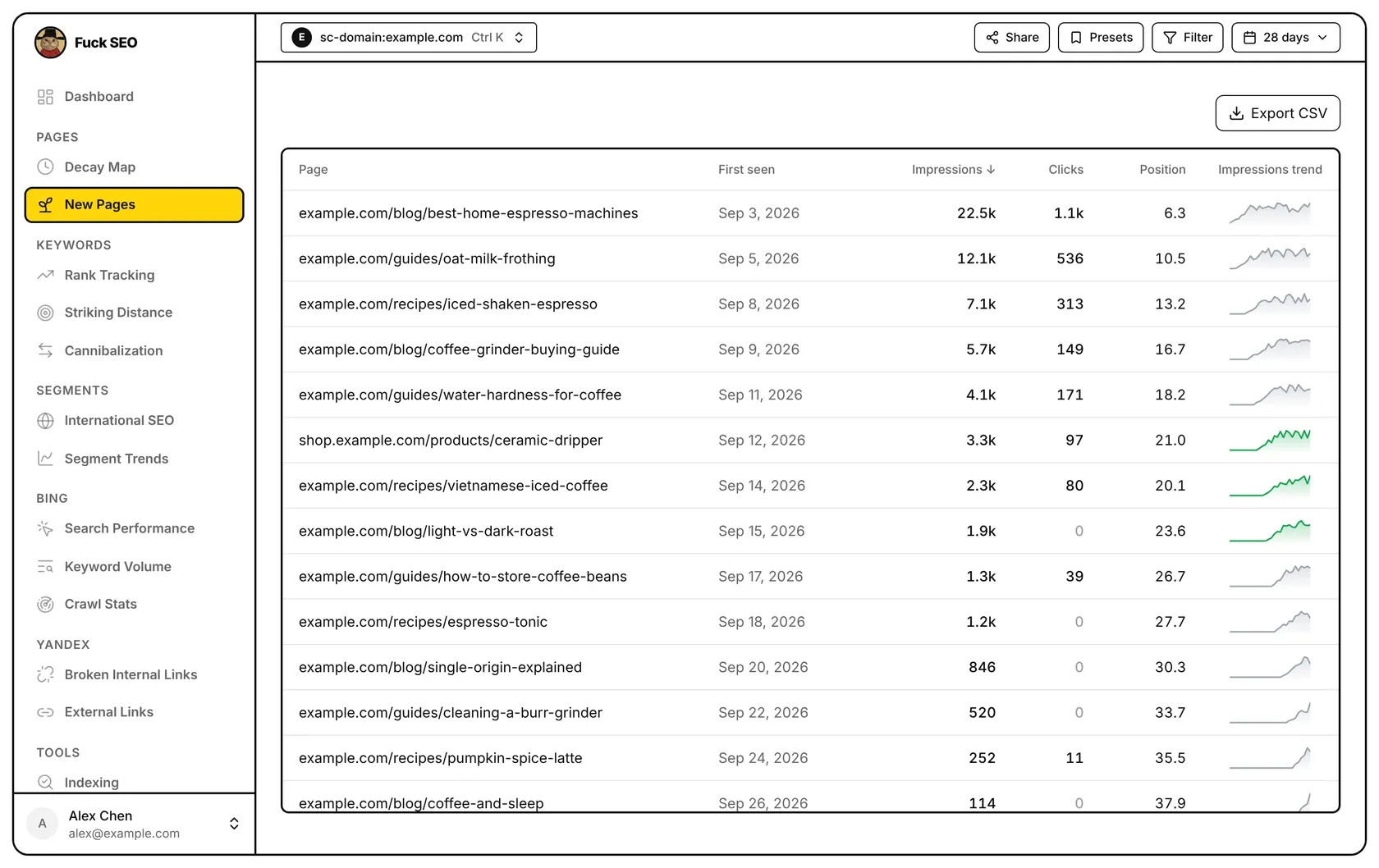
New Pages lists the pages that started appearing in Google Search during the selected period: pages that have impressions in the period and had none in the year before it. For each one you see when it first appeared, how it has done since, and a small chart of its daily impressions.
How a page counts as new
- The period is the date range in the top bar, up to 180 days. If you pick a longer range, such as 12 or 16 months, the last 180 days are used. The period ends on the same end date as the rest of the app (see Data and limits).
- The baseline is the 365 days right before the period. A page is new when it has impressions in the period and no impressions at all in the baseline.
- Search Console keeps about 16 months of data, so for long periods the oldest part of the baseline has no data. With a 180-day period, about 10 months of baseline are available.
- URLs containing
#(links that jump to a section of a page) are skipped. - Pages in a language version are skipped: pages under a language folder such as
/fr/or/pt-br/, and in a Domain property pages on a language subdomain such asfr.example.com. Languages are detected the same way as on International SEO, so/en/counts as a language folder too. When the property itself is a language folder (for examplehttps://example.com/fr/), nothing is skipped. - Up to 500 new pages are listed: the ones with the most impressions.
- Filters from Filter or Presets and the Search Type in the date menu apply, both to the period and to the baseline.
Columns
- Page: the page’s path. For a Domain property the host name is included, because the property can cover several subdomains.
- First seen: the first day in the period on which the page had impressions.
- Impressions and Clicks: totals from the first-seen day to the end of the period.
- Position: the average position, weighted by impressions; ”—” when there is none. This column is hidden when the search type is Discover, which has no positions.
- Impressions trend: daily impressions from the first-seen day to the end of the period. The line is green when the last 7 days have at least 10% more impressions than the 7 days before, and red when they have at least 10% fewer. It stays grey when the change is smaller, when the page has fewer than 14 days of data, when the earlier 7 days had no impressions, or when the last 14 days add up to fewer than 20 impressions. Hover the chart to see the percentage change, or hover the column header for a short explanation.
On phones each page takes two lines, the page and then impressions, clicks and position; the first-seen date and the trend chart aren’t shown there.
Sorting
Click First seen, Impressions, Clicks or Position to sort by that column, and click again to reverse the order. The default is Impressions, highest first. Pages without a position always stay at the bottom. Rows load 50 at a time as you scroll.
Page details
Click a row to open the page’s detail panel for the selected date range: clicks, impressions, position and CTR with their change against the previous period, a daily trend chart, the page’s notes and the queries it ranks for, plus Check indexing, Add a note and Open page. The Decay Map opens the same panel.
Export
Export CSV downloads every listed page in the current sort order, with Page (the full URL), First Seen, Impressions, Clicks and Position (Position is left out for Discover). The button isn’t shown on phones.
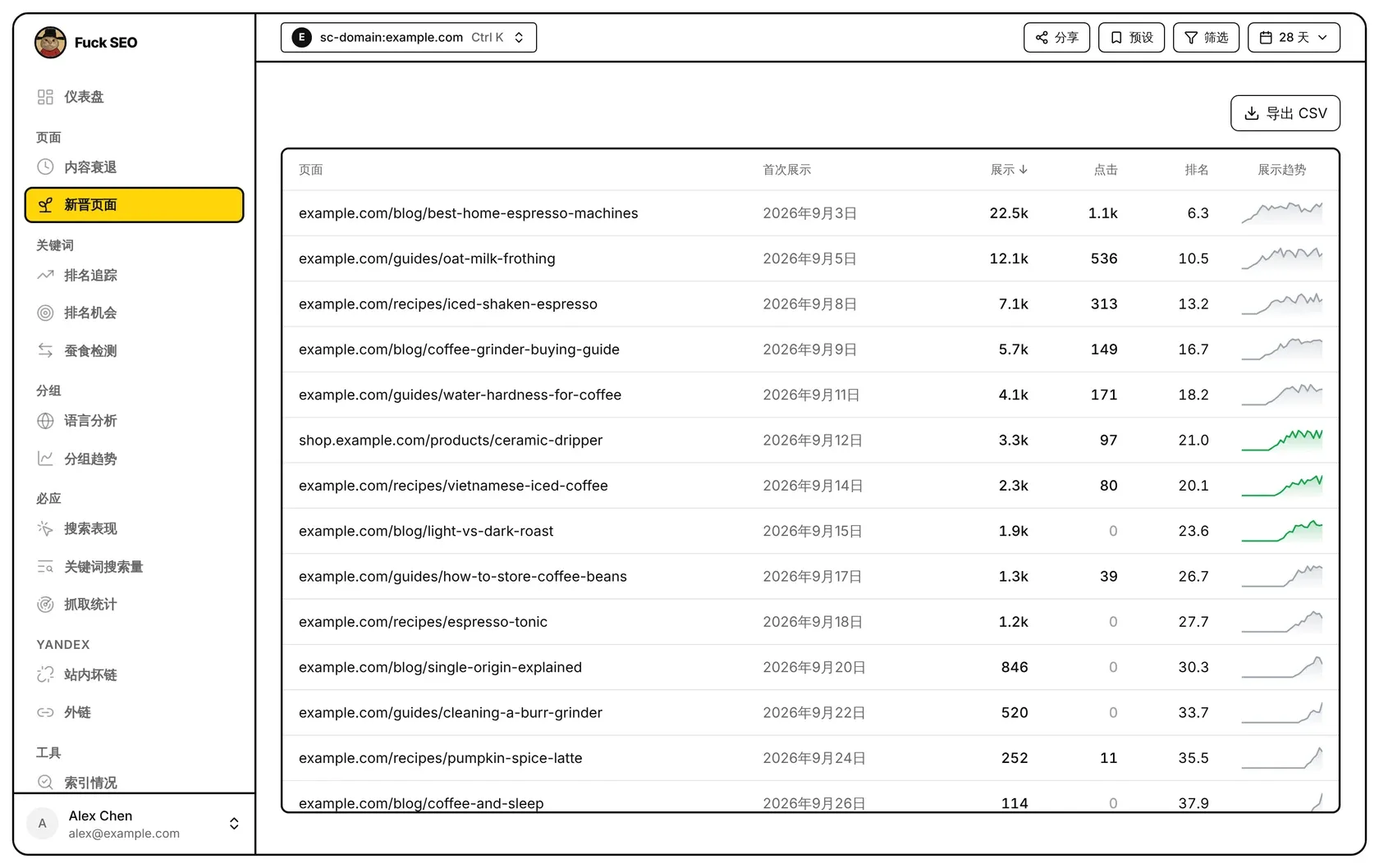
新晋页面列出在所选周期里开始出现在 Google 搜索中的页面:周期内有展示、而在此前一年里没有任何展示的页面。每个页面都能看到它第一次出现的日期、此后的表现,以及一条每日展示的小趋势图。
怎样算新页面
- 周期:顶部选择的日期范围,最长 180 天。选了更长的范围(例如 12 个月或 16 个月)时,取最近 180 天。周期的结束日期和其他页面相同(见 数据说明)。
- 基准期:周期之前紧挨着的 365 天。周期内有展示、基准期内完全没有展示的页面,算作新页面。
- GSC 只保留约 16 个月的数据,周期较长时,基准期最早的一段没有数据。周期为 180 天时,基准期实际只有约 10 个月。
- 带
#的网址(跳到页面某一段的链接)不计入。 - 语言版本的页面不计入:
/fr/、/pt-br/这类语言目录下的页面,以及网域资源里fr.example.com这类语言子域名下的页面。识别方法和 语言分析 相同,/en/也算语言目录。资源本身就是语言目录(例如https://example.com/fr/)时不排除。 - 最多列出 500 个新页面,取展示最多的。
- 筛选、预设 里的条件和日期菜单里的 搜索类型 会生效,周期和基准期都按同样的条件查询。
各列含义
- 页面:页面路径。网域资源可能包含多个子域名,所以带域名显示。
- 首次展示:周期内这个页面第一次有展示的日期。
- 展示、点击:从首次展示那天到周期结束的合计。
- 排名:按展示量加权的平均排名,没有排名时显示 ”—“。搜索类型为 Discover 时没有排名,这一列不显示。
- 展示趋势:从首次展示那天到周期结束的每日展示。近 7 天的展示比前 7 天多 10% 以上时线是绿色,少 10% 以上时是红色。变化不到 10%、数据不满 14 天、前 7 天没有展示,或近 14 天展示合计不到 20 次时,都显示为灰色。鼠标移到小图上可以看到变化百分比,移到列名上可以看到简短说明。
手机上每个页面占两行,上面是页面,下面是展示、点击和排名;首次展示日期和趋势图不在手机上显示。
排序
点 首次展示、展示、点击 或 排名 按这一列排序,再点一次反向排列。默认按 展示 从高到低。没有排名的页面始终排在最后。往下滚动时每次多加载 50 行。
页面详情
点一行打开这个页面的详情面板,周期为顶部选择的日期范围:点击、展示、排名和 CTR 及其相对上一周期的变化,按天的趋势图,这个页面的笔记和它排名的查询词,还有 检查收录、记一条笔记 和 打开页面 三个按钮。内容衰退 打开的也是同一个面板。
导出
导出 CSV 按当前排序下载列表里的全部页面,包含页面(完整网址)、首次展示日期、展示、点击和排名(Discover 不含排名)。手机上不显示这个按钮。