Help Center帮助中心 Keywords关键词
Cannibalization蚕食检测
Last updated更新于 2026-10-09
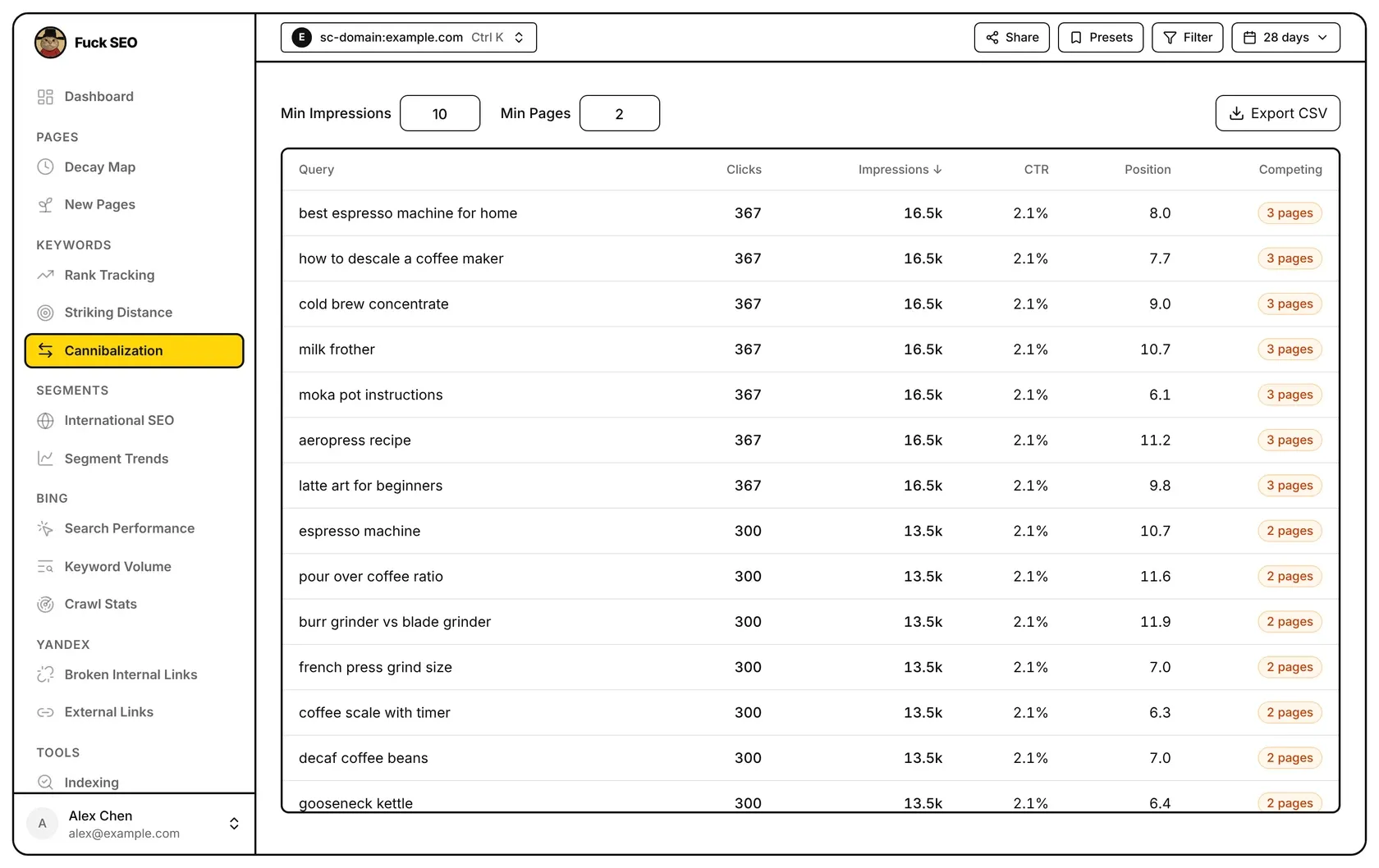
Cannibalization lists the queries for which several of your pages get impressions in the selected period, when enough of them pass the thresholds you set (at least two by default). Click a query to compare the competing pages’ clicks, impressions, position and CTR.
When a query is listed
The page reads every query and page combination for the date range in the top bar. For each query, a page counts as a competing page when both of these are true:
- its impressions for the query are at least Min Impressions (10 by default);
- its impressions are at least 10% of the impressions of the query’s top page, the page with the most impressions for it.
A query is listed when it has at least Min Pages competing pages (2 by default, and never less than 2). Type a new value in either box and press Enter or click elsewhere to apply it.
A few details:
- Links that jump to a section of a page (a
#part in the URL) are merged into the page itself. Query strings are kept, so URLs with different parameters count as different pages. - Filters from Filter or Presets and the Search Type in the date menu apply. Discover has no query data, so this page works with Web, Image, Video and News only.
- If the period has more than 100,000 query and page combinations, only the 100,000 with the most clicks are loaded and a note appears above the table.
Product and article pages
Pages are tagged Product or Article from whole folder names in the URL path:
- Product:
/product/,/products/,/shop/,/item/,/items/,/goods/ - Article:
/blog/,/blogs/,/news/,/article/,/articles/,/post/,/posts/,/guide/,/guides/,/knowledge/,/insights/,/tutorial/,/tutorials/, or a date folder such as/2025/03/
A page that matches both kinds, or neither, gets no tag. When a query’s competing pages are exactly one product page and one article page, the query isn’t listed; a line above the table says how many queries were left out this way.
The table
The columns are Query, Clicks, Impressions, CTR, Position and Competing. Clicks, impressions, CTR (clicks ÷ impressions) and position (weighted by impressions) are for the query as a whole, across every page that got impressions for it, including pages below the thresholds. Competing shows how many pages pass the thresholds, such as “3 pages”.
Click any column header to sort by it and click again to reverse. Query starts A to Z and the number columns start highest first; the default is Impressions, highest first. Rows load 50 at a time as you scroll.
Competing pages
Click a row to open a side panel for the query. At the top are its Clicks, Impressions, Position and CTR. Under Competing pages each page shows:
- its URL, with the Product or Article tag when it has one;
- Most clicks on the competing page with the most clicks, when exactly one page has the most and it has at least one click;
- its own position, clicks, impressions and CTR for the query;
- Impr. share and Click share: the part of the query’s impressions and clicks that page received.
Pages with impressions that didn’t pass the thresholds are listed under Not counted, which you can expand to see each one’s impressions and position.
For a Domain property, URLs are shown with their host name; for a URL-prefix property, as the path plus any query string.
Export
Export CSV downloads every listed query with one row per competing page: Query, Total Clicks, Total Impressions, CTR and Avg Position for the query, then URL, URL Clicks, URL Impressions, URL Position and URL CTR for that page. Pages under Not counted aren’t included. The button isn’t shown on phones.
Striking Distance also shows every page that ranks for a query, for queries in a position range.
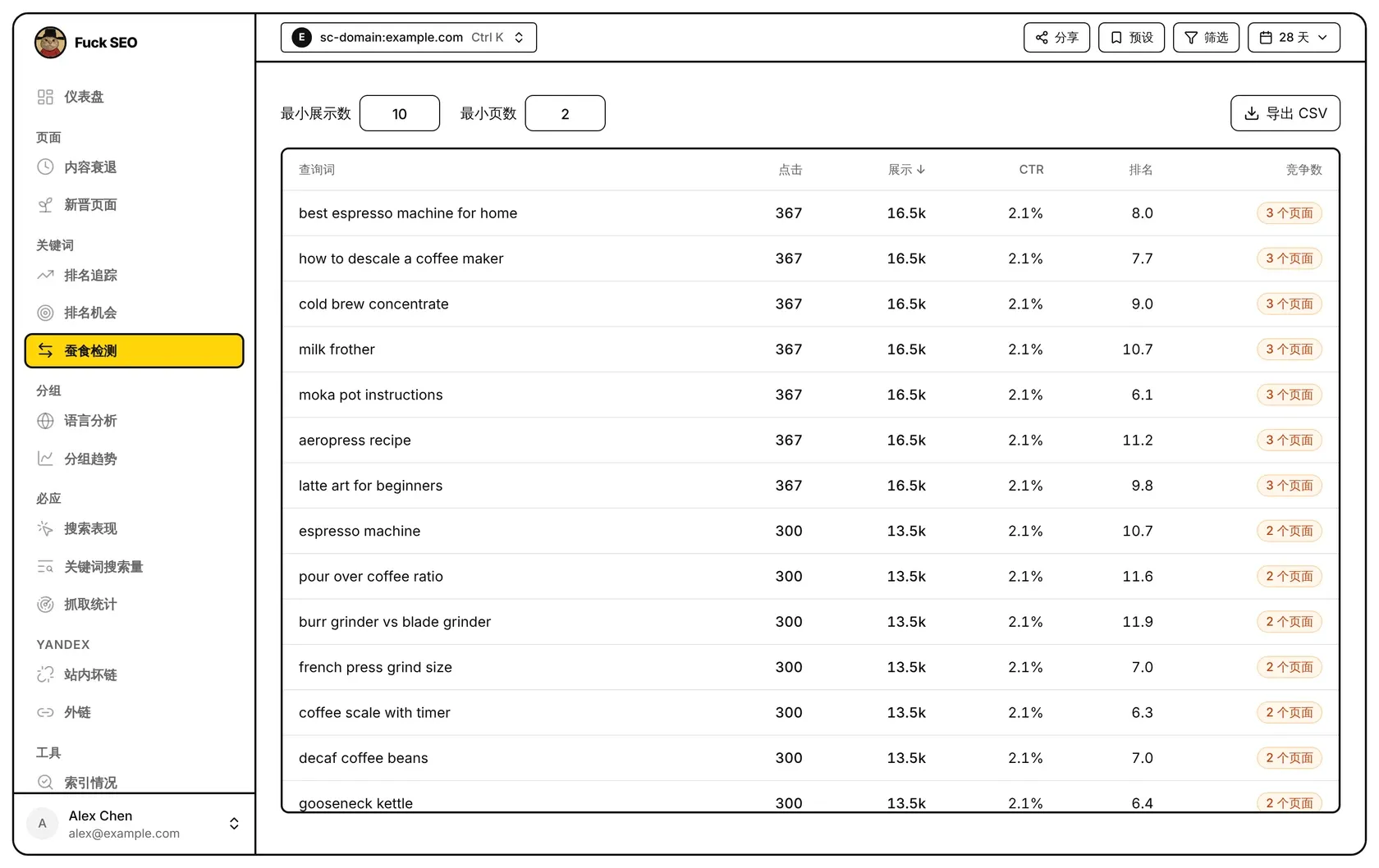
蚕食检测列出所选周期内有多个页面获得展示、且达到你设定门槛的页面足够多(默认至少 2 个)的查询词。点开一个查询词,可以把各竞争页面的点击、展示、排名和 CTR 放在一起对比。
什么样的查询词会列出
这个页面读取顶部日期范围内所有「查询词 × 页面」的组合。对每个查询词,同时满足下面两条的页面算作竞争页面:
- 它在这个查询词上的展示数不少于 最小展示数(默认 10);
- 它的展示数不少于这个查询词展示最多的页面的 10%。
竞争页面数达到 最小页数(默认 2,不能小于 2)的查询词才会列出。在任一框里输入新数值,按 回车 或点别处生效。
另外几点:
- 跳到页面某一段的链接(网址里带
#的部分)会并入页面本身。网址里的?参数会保留,参数不同的网址算作不同页面。 - 筛选、预设 里的条件和日期菜单里的 搜索类型 会生效。Discover 没有查询词数据,这个页面只适用于网页、图片、视频和新闻。
- 周期内「查询词 × 页面」的组合超过 10 万个时,只加载点击最多的前 10 万个,表格上方会出现提示。
产品页和文章页
页面按网址路径里完整的目录名标记为 产品页 或 文章页:
- 产品页:
/product/、/products/、/shop/、/item/、/items/、/goods/ - 文章页:
/blog/、/blogs/、/news/、/article/、/articles/、/post/、/posts/、/guide/、/guides/、/knowledge/、/insights/、/tutorial/、/tutorials/,或/2025/03/这样的日期目录
两类都符合或都不符合的页面不加标记。如果一个查询词的竞争页面正好是一个产品页加一个文章页,这个查询词不会列出;表格上方会有一行说明,写明有多少个查询词因此没有计入。
表格
各列是 查询词、点击、展示、CTR、排名 和 竞争数。点击、展示、CTR(点击 ÷ 展示)和排名(按展示量加权)都是这个查询词的整体数据,包括所有为它获得展示的页面,也包括没达到门槛的页面。竞争数 是达到门槛的页面数,例如「3 个页面」。
点任意列名按这一列排序,再点一次反向排列。查询词 先按 A 到 Z 排,数字列先从高到低排;默认按 展示 从高到低。往下滚动时每次多加载 50 行。
竞争页面
点一行,右侧滑出这个查询词的面板。顶部是它的 点击、展示、排名 和 CTR。竞争页面 下面每个页面显示:
- 网址,有标记时带 产品页 或 文章页;
- 竞争页面中点击最多的那个带 点击最多 标记,只在恰好一个页面点击最多、且至少有 1 次点击时显示;
- 它在这个查询词上的排名、点击、展示和 CTR;
- 展示份额 和 点击份额:它在这个查询词全部展示和全部点击中的占比。
有展示但没达到门槛的页面列在 未计入的页面 里,展开后可以看到每个页面的展示数和排名。
网域资源的网址带域名显示;网址前缀资源显示路径和 ? 参数。
导出
导出 CSV 下载所有列出的查询词,每个竞争页面一行:查询词的总点击、总展示、CTR 和平均排名,以及该页面的网址、点击、展示、排名和 CTR。未计入的页面 不导出。手机上不显示这个按钮。
排名机会 也会显示为某个查询词排名的所有页面,范围是排名落在指定区间的查询词。